How to Build Your Own AI Assistant With Django Framework & Anthropic SDK (Step by Step)
To build your own AI assistant with the Django framework & Anthropic SDK, you need four things. A Django project, the anthropic Python package, one async view that streams Claude’s answer, and a small chat page that reads the stream. This step-by-step guide builds all four in nine steps, with a real chat UI, saved conversations, and follow-up questions that remember what you said.
I’ve worked with Django for more than seven years and I still love it. It already solves the boring parts of a web app, so the only new thing in this project is the AI. I ran every step below in October 2026 with Python 3.12, Django 6.1.1, and anthropic 1.11.0, using Claude Sonnet 5.5. I follow the official Django docs and the Anthropic Python SDK docs throughout, and I link the page behind each choice.
Key takeaways
- Django 6.1 needs Python 3.12 or newer, so start there.
- Serve the app over ASGI, Django’s async mode. Django’s docs warn that a streamed response under the older WSGI mode ties up a worker for the whole answer. In my test, the same request streamed instantly with Daphne and landed in one lump after about six seconds without it.
- Send Claude’s answer to the browser piece by piece as server-sent events, a simple text format for pushing updates.
- The API remembers nothing between requests, so store the conversation in your database and send all of it every time.
- Decide ahead of time what to save when an answer dies halfway.
Why use the Django framework for an AI assistant?
Four reasons, and they’re all mine.
First, batteries included. The ORM (the layer that lets you talk to the database in Python instead of SQL), migrations, the admin, and templates all ship in the box. Four of them show up in this guide, and none needed an extra install.
Second, the security defaults. Django’s security docs cover protection against cross-site scripting, cross-site request forgery, and SQL injection. This app leans on all three, and I’ll point out where.
Third, the docs. They’re the reason this post is light on opinions and heavy on links. Fourth, Django is boring and stable, and I mean that as a compliment. The model is already the exciting part of an AI app, so the framework underneath should be the part that behaves.
If you’re still choosing a framework, my Django vs Flask comparison looks at both on databases, security, and scalability.
What will you build with the Django framework & Anthropic SDK?
You’ll build an AI chatbot that runs in the browser and talks to Claude. You type a question, the answer streams in as it’s written, and every chat is saved so you can come back to it. Follow-up questions work because the whole conversation goes to Claude each time. Answers render as Markdown, so lists and code blocks look right.
Here’s the finished page after two demo questions. The chat list sits in a sidebar that I cropped out of this screenshot.
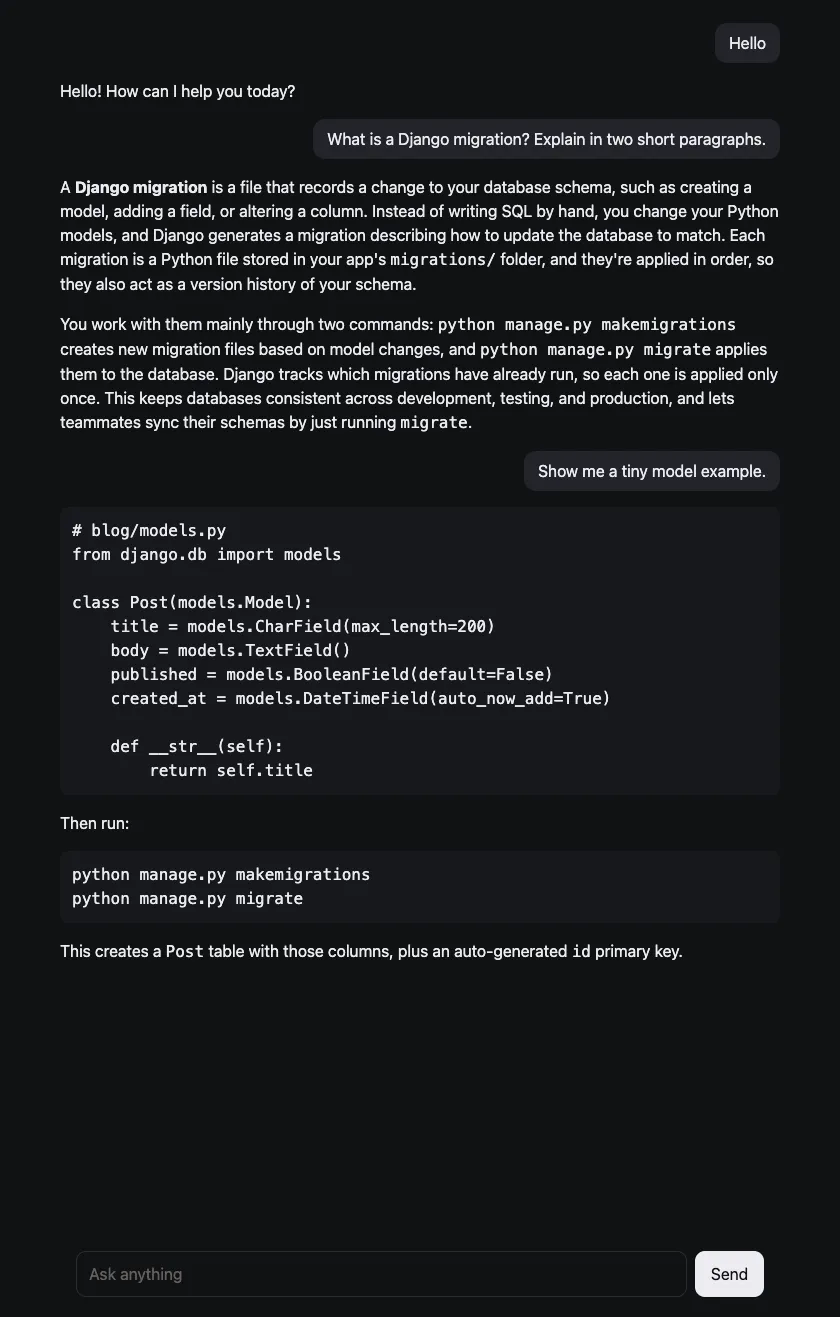
A screenshot of the demo app you’ll build, using demo questions only.
The whole thing is about 400 lines of code. Here’s where each file ends up.
django-ai-assistant/
├── manage.py
├── config/
│   ├── settings.py
│   └── urls.py
└── chat/
    ├── models.py
    ├── admin.py
    ├── urls.py
    ├── views.py
    ├── templates/chat/index.html
    └── static/chat/
        ├── chat.css
        └── chat.js
What do you need before you start?
You need four things.
- Python 3.12 or newer, because Django 6.1 requires it.
- An Anthropic account, so you can create an API key in Step 2.
- Basic Python. I explain the Django parts as they come up.
- A terminal and a code editor.
The nine steps at a glance
Steps 1 to 6 build the app. Steps 7 to 9 run it, check follow-ups, and make it hold up when things fail.
- Set up the Django project, with Daphne so it can stream.
- Add your Anthropic API key.
- Create the database models for chats and messages.
- Make your first Claude call from the Django shell.
- Stream Claude’s answer from a Django view.
- Build the chat page.
- Run it and test the stream.
- Check that follow-up questions work.
- Handle errors and dropped connections.
Step 1. Set up the Django project
Make a folder, a virtual environment (a private set of Python packages for this one project), and install three packages. Then let Django create the project and one app called chat.
mkdir django-ai-assistant && cd django-ai-assistant
python3 -m venv .venv
source .venv/bin/activate
pip install "django>=6.1,<6.2" "anthropic>=1.11" daphne
django-admin startproject config .
python manage.py startapp chat
Django’s FAQ lists Python 3.12, 3.13, and 3.14 for Django 6.1. Daphne is an ASGI server, the program that listens for web requests and hands them to Django. The Daphne how-to says that putting daphne at the top of INSTALLED_APPS and setting ASGI_APPLICATION makes runserver serve your site over ASGI.
Open config/settings.py and make four changes. Add import os at the top, add daphne first and chat last in INSTALLED_APPS, add ASGI_APPLICATION, and put the Anthropic settings at the bottom.
# config/settings.py
import os
from pathlib import Path

INSTALLED_APPS = [
    'daphne',  # must be first
    'django.contrib.admin',
    'django.contrib.auth',
    'django.contrib.contenttypes',
    'django.contrib.sessions',
    'django.contrib.messages',
    'django.contrib.staticfiles',
    'chat',
]

WSGI_APPLICATION = 'config.wsgi.application'
ASGI_APPLICATION = 'config.asgi.application'

# ...the rest of the generated settings stay as they are...

# Anthropic
# The SDK reads ANTHROPIC_API_KEY from the environment on its own.
# We read it too, only so the app can say "not configured" politely.
ANTHROPIC_API_KEY = os.environ.get("ANTHROPIC_API_KEY", "")
AI_MODEL = "claude-sonnet-5-5"
AI_MAX_TOKENS = 16000
Then point the project at the app. This is config/urls.py.
from django.contrib import admin
from django.urls import include, path

urlpatterns = [
    path('admin/', admin.site.urls),
    path('', include('chat.urls')),
]
And this is the new file chat/urls.py, with the three routes the app needs. One shows the page, one streams a reply, and one loads an old chat.
from django.urls import path

from . import views

urlpatterns = [
    path("", views.index, name="index"),
    path("chat/", views.chat, name="chat"),
    path("chat/<int:pk>/", views.history, name="history"),
]
Step 2. Add your Anthropic API key
Create an API key in the Anthropic Console, as the authentication docs describe. Then put it in an environment variable, which is a setting that lives in your terminal session instead of your code.
export ANTHROPIC_API_KEY="your-key-here"The SDK reads ANTHROPIC_API_KEY by itself, as the SDK docs show. If you’d rather keep the key in a .env file, the same docs suggest the python-dotenv package. Don’t hard-code it. That’s how keys end up in git history, and git history is forever.
The settings file reads the key too, and there’s a reason. Without a key, the SDK doesn’t raise an API error. It raises a plain TypeError the moment you make a request, which I checked. The view looks at the setting first, so a missing key becomes a polite message instead of a crash.
Step 3. Create the database models
You need two tables. A Conversation is one chat, and a Message is one turn inside it. This is chat/models.py.
from django.db import models


class Conversation(models.Model):
    title = models.CharField(max_length=120, blank=True)
    created_at = models.DateTimeField(auto_now_add=True)

    class Meta:
        ordering = ["-created_at"]

    def __str__(self):
        return self.title or f"Chat {self.pk}"


class Message(models.Model):
    class Role(models.TextChoices):
        USER = "user"
        ASSISTANT = "assistant"

    conversation = models.ForeignKey(
        Conversation, on_delete=models.CASCADE, related_name="messages"
    )
    role = models.CharField(max_length=10, choices=Role.choices)
    # The content blocks exactly as the Messages API shaped them.
    content = models.JSONField()
    # True when the reply was cut short (dropped connection, error, max_tokens).
    interrupted = models.BooleanField(default=False)
    created_at = models.DateTimeField(auto_now_add=True)

    class Meta:
        ordering = ["created_at", "id"]

    def text(self):
        return "".join(b["text"] for b in self.content if b.get("type") == "text")
The odd column is content. The Messages API doesn’t deal in plain strings. A reply is a list of content blocks, and Claude can add other kinds of blocks besides text. Storing the blocks exactly as the API returned them means the history can go back to the API unchanged, whatever shows up.
The interrupted flag marks replies that never finished. You’ll see why in Step 9.
Register both models so Django’s admin can show them. This is chat/admin.py.
from django.contrib import admin

from .models import Conversation, Message

admin.site.register(Conversation)
admin.site.register(Message)
Now create the tables and an admin user.
python manage.py makemigrations chat
python manage.py migrate
python manage.py createsuperuser
The migrate output includes the line Applying chat.0001_initial... OK, which means both tables exist.
A migration is a small file that tells the database how to match your models, and Django’s migrations docs go deeper. Migrations were a big part of learning Django when I started. Once you get the gist of the ORM, they’re simple. My Django ORM and migrations tutorial walks through them step by step.
Open /admin/ after you start the server and you get a free database browser. It beats squinting at sqlite3 output.
Step 4. Make your first Claude call
Before building the view, check that the call works from the Django shell. Start it with python manage.py shell and paste this in.
import anthropic

client = anthropic.Anthropic()
message = client.messages.create(
    model="claude-sonnet-5-5",
    max_tokens=300,
    messages=[{"role": "user", "content": "Say hello in five words."}],
)
for block in message.content:
    if block.type == "text":
        print(block.text)
print(message.stop_reason)
I got Hello there, hope you're well! and then end_turn. Your greeting will differ. The reply is a list of content blocks, so the loop picks out the text ones. stop_reason tells you why Claude stopped, and end_turn means it finished normally.
Keep max_tokens small here. I tried a plain call with max_tokens=64000 and the SDK raised a ValueError saying streaming is required for operations that may take longer than 10 minutes. The SDK docs say the same. Streaming is where we’re headed anyway.
Step 5. Stream Claude’s answer from a Django view
Waiting for the full reply makes a chat page look frozen, so you send the answer in pieces as Claude writes it. Django has a class for that, StreamingHttpResponse. Its docs are blunt about one thing. “Django, under WSGI, is designed for short-lived requests. Streaming responses will tie a worker process for the entire duration of the response.”
Under ASGI, the same docs say a streaming response needn’t stop other requests from being served while it waits, and they name server-sent events as a pattern that opens up. They also say the iterator you hand over must be async under ASGI. So this app uses three async pieces. An async view, an async generator, and the SDK’s async client, AsyncAnthropic.
How server-sent events work
Server-sent events (SSE) are simple. In this app, each event is one line that starts with data: and ends with a blank line.
The helpers and the three views
This is the first half of chat/views.py.
import asyncio
import json
import logging

import anthropic
from django.conf import settings
from django.http import JsonResponse, StreamingHttpResponse
from django.shortcuts import aget_object_or_404, get_object_or_404, render
from django.views.decorators.http import require_POST

from .models import Conversation, Message

logger = logging.getLogger(__name__)

SYSTEM = (
    "You are a helpful assistant inside a small web app. "
    "Be brief. Use short Markdown when it helps."
)


def sse(payload):
    # One JSON object per event. json.dumps escapes newlines, so a blank line
    # inside the model's answer can't end the event early.
    return f"data: {json.dumps(payload)}\n\n"


def index(request):
    return render(request, "chat/index.html", {"conversations": Conversation.objects.all()})


def history(request, pk):
    conversation = get_object_or_404(Conversation, pk=pk)
    return JsonResponse(
        {
            "messages": [
                {"role": m.role, "text": m.text(), "interrupted": m.interrupted}
                for m in conversation.messages.all()
            ]
        }
    )


@require_POST
async def chat(request):
    body = json.loads(request.body or "{}")
    text = (body.get("message") or "").strip()
    if not text:
        return JsonResponse({"error": "Message is empty."}, status=400)

    if body.get("conversation_id"):
        conversation = await aget_object_or_404(Conversation, pk=body["conversation_id"])
    else:
        conversation = await Conversation.objects.acreate(title=text[:60])

    # Save the question first, so it survives even if the answer fails.
    await Message.objects.acreate(
        conversation=conversation,
        role="user",
        content=[{"type": "text", "text": text}],
    )

    response = StreamingHttpResponse(
        stream_reply(conversation), content_type="text/event-stream"
    )
    response["Cache-Control"] = "no-cache"
    response["X-Accel-Buffering"] = "no"  # tell nginx-style proxies not to buffer
    return response
The sse helper is the one that saves you a bad afternoon. A model answer is full of blank lines, because that’s what a new paragraph is. Send raw text and the first paragraph break would end the event early. json.dumps turns every newline into \n, so each event is always exactly one line.
The chat view is async, so it uses the a-prefixed versions of Django’s tools, like acreate for the ORM and aget_object_or_404 for lookups. The async docs explain the ORM side. The new chat’s title is just the first 60 characters of the first question, which saves an extra API call. The view saves the question before streaming, so it survives even if the answer fails, and the two headers tell proxies not to hold the stream back.
The function that talks to Claude
This is the second half of chat/views.py, the part that talks to Claude.
def friendly(exc):
    if isinstance(exc, anthropic.AuthenticationError):
        return "The API key was rejected. Check ANTHROPIC_API_KEY."
    if isinstance(exc, anthropic.RateLimitError):
        return "The AI service is busy right now. Please try again in a moment."
    if isinstance(exc, anthropic.APIConnectionError):
        return "The connection to the AI service dropped. Please try again."
    return "The AI service returned an error. Please try again."


async def keep_partial(conversation, partial):
    # Text the user already saw is kept, and flagged so it never looks finished.
    if partial:
        await Message.objects.acreate(
            conversation=conversation,
            role="assistant",
            content=[{"type": "text", "text": partial}],
            interrupted=True,
        )


async def stream_reply(conversation):
    yield sse({"type": "start", "conversation_id": conversation.pk})

    if not settings.ANTHROPIC_API_KEY:
        yield sse({"type": "error", "message": "The assistant is not configured. Set ANTHROPIC_API_KEY."})
        return

    # The API is stateless, so every request carries the whole conversation.
    messages = [
        {"role": m.role, "content": m.content}
        async for m in conversation.messages.all()
    ]

    client = anthropic.AsyncAnthropic()
    partial = ""
    try:
        async with client.messages.stream(
            model=settings.AI_MODEL,
            max_tokens=settings.AI_MAX_TOKENS,
            system=SYSTEM,
            output_config={"effort": "low"},
            messages=messages,
        ) as stream:
            async for text in stream.text_stream:
                partial += text
                yield sse({"type": "delta", "text": text})
            final = await stream.get_final_message()
    except anthropic.APIError as exc:
        logger.warning("Anthropic API error: %r", exc)
        await keep_partial(conversation, partial)
        yield sse({"type": "error", "message": friendly(exc)})
        return
    except asyncio.CancelledError:
        # The browser went away mid-answer.
        await keep_partial(conversation, partial)
        raise

    if final.stop_reason == "refusal":
        yield sse({"type": "error", "discard": True, "message": "I can't help with that one. Try rephrasing it."})
        return
    if not partial:
        yield sse({"type": "error", "discard": True, "message": "No answer came back. Please try again."})
        return

    cut_off = final.stop_reason == "max_tokens"
    await Message.objects.acreate(
        conversation=conversation,
        role="assistant",
        content=[block.to_dict(exclude_none=True) for block in final.content],
        interrupted=cut_off,
    )
    yield sse({"type": "done", "cut_off": cut_off})
How stream_reply works
Read stream_reply from the top. It first sends a start event carrying the conversation id, so a brand-new chat gets its id even if everything after it fails. Then it checks the key, rebuilds the history from the database with async for, and opens the stream with async with client.messages.stream(...). Each chunk in stream.text_stream goes straight out as a delta event, and get_final_message() gives you the finished message once the stream ends.
Two settings in that call deserve a sentence each. The effort docs say that for chat and other latency-sensitive work on Sonnet 5.5, you should start with medium or low, so I used low. In my runs the first text showed up after about one to two seconds. The same page says to set max_tokens with room for thinking and the reply, because thinking counts toward max_tokens even when its content isn’t returned. That’s why AI_MAX_TOKENS is 16000 and not 300.
The last lines save the finished reply. block.to_dict(exclude_none=True) turns the SDK’s response objects into plain dictionaries that fit in a JSONField.
Step 6. Build the chat page
Three files make the UI. A template, a stylesheet, and a script. No React, no build step, and no node_modules folder the size of a small moon.
The template
This is chat/templates/chat/index.html.
{% load static %}
<!doctype html>
<html lang="en">
<head>
  <meta charset="utf-8">
  <meta name="viewport" content="width=device-width, initial-scale=1">
  <title>Assistant</title>
  <link rel="stylesheet" href="{% static 'chat/chat.css' %}">
</head>
<body>
  <aside>
    <button id="new-chat" type="button">New chat</button>
    <ul id="chats">
      {% for chat in conversations %}
        <li><button type="button" data-id="{{ chat.pk }}">{{ chat.title }}</button></li>
      {% endfor %}
    </ul>
  </aside>

  <main>
    <div id="messages"></div>
    <form id="form">
      {% csrf_token %}
      <textarea id="input" rows="1" placeholder="Ask anything" aria-label="Message" required></textarea>
      <button type="submit">Send</button>
    </form>
  </main>

  <script src="https://cdnjs.cloudflare.com/ajax/libs/marked/18.0.14/lib/marked.umd.min.js"
          integrity="sha384-J1VD5X/E72gORmmXiADelqS192/84qho9IALLC3d5oxjp1RgEN3He4ANyjqXyz10"
          crossorigin="anonymous"></script>
  <script src="https://cdnjs.cloudflare.com/ajax/libs/dompurify/3.4.16/purify.min.js"
          integrity="sha384-a7SzOxErzJ3ZpQz0zJ32d67dSitNzPcbfybc/ykU9KJhMgZkwqfSxlhhdJRS+XGL"
          crossorigin="anonymous"></script>
  <script src="{% static 'chat/chat.js' %}"></script>
</body>
</html>
Three details matter here. {{ chat.title }} is escaped by Django automatically, which is one of the cross-site scripting protections from earlier. {% csrf_token %} puts the CSRF secret in the form, and the script will send it back in a header. The two CDN scripts, marked (which turns Markdown into HTML) and DOMPurify (which strips anything dangerous from that HTML), are pinned to exact versions with an integrity hash, so the browser refuses a file that doesn’t match.
The stylesheet
This is chat/static/chat/chat.css. It’s plain CSS, and the colors follow your system’s light or dark setting.
:root {
  color-scheme: light dark;
  --bg: light-dark(#ffffff, #101114);
  --panel: light-dark(#f4f4f6, #17181c);
  --line: light-dark(#e2e2e6, #2a2b31);
  --text: light-dark(#18181b, #ececf0);
  --muted: light-dark(#6b6b76, #8c8c97);
  --bubble: light-dark(#ececf0, #23242a);
}

* { box-sizing: border-box; }

body {
  margin: 0;
  height: 100dvh;
  display: grid;
  grid-template-columns: 260px 1fr;
  background: var(--bg);
  color: var(--text);
  font: 16px/1.5 system-ui, sans-serif;
}

aside {
  background: var(--panel);
  border-right: 1px solid var(--line);
  padding: 12px;
  overflow-y: auto;
}

aside ul { list-style: none; margin: 12px 0 0; padding: 0; }
aside li button { width: 100%; text-align: left; border: 0; background: none; padding: 8px; border-radius: 6px; color: inherit; font: inherit; cursor: pointer; overflow: hidden; text-overflow: ellipsis; white-space: nowrap; }
aside li button:hover, aside li button.active { background: var(--bubble); }
#new-chat { width: 100%; padding: 8px; border: 1px solid var(--line); border-radius: 6px; background: var(--bg); color: inherit; font: inherit; cursor: pointer; }

main { display: flex; flex-direction: column; min-height: 0; }
#messages { flex: 1; overflow-y: auto; padding: 24px 16px; }
.message { max-width: 720px; margin: 0 auto 16px; }
.message.user { background: var(--bubble); padding: 8px 14px; border-radius: 12px; width: fit-content; margin-left: auto; margin-right: max(16px, calc((100% - 720px) / 2)); white-space: pre-wrap; }
.message > :first-child { margin-top: 0; }
.message > :last-child { margin-bottom: 0; }
.message pre { background: var(--panel); padding: 12px; border-radius: 8px; overflow-x: auto; }
.note { color: var(--muted); font-size: 14px; font-style: italic; }

form { display: flex; gap: 8px; max-width: 720px; width: 100%; margin: 0 auto; padding: 12px 16px 20px; }
textarea { flex: 1; resize: none; field-sizing: content; max-height: 10rem; padding: 10px 12px; border: 1px solid var(--line); border-radius: 10px; background: var(--bg); color: inherit; font: inherit; }
form button { padding: 0 16px; border: 0; border-radius: 10px; background: var(--text); color: var(--bg); font: inherit; cursor: pointer; }
form button:disabled { opacity: .5; cursor: default; }

@media (max-width: 700px) {
  body { grid-template-columns: 1fr; }
  aside { display: none; }
}
The script
The script is the interesting file. This is chat/static/chat/chat.js.
const messages = document.querySelector("#messages");
const form = document.querySelector("#form");
const input = document.querySelector("#input");
const chats = document.querySelector("#chats");
const csrfToken = form.querySelector("[name=csrfmiddlewaretoken]").value;

let conversationId = null;
let busy = false;

function show(el, markdown) {
  // Model output is untrusted input. Sanitize it before it touches the page.
  el.innerHTML = DOMPurify.sanitize(marked.parse(markdown));
  messages.scrollTop = messages.scrollHeight;
}

function addMessage(role, text = "") {
  const el = document.createElement("div");
  el.className = `message ${role}`;
  if (role === "user") el.textContent = text; // never parsed as HTML
  else show(el, text);
  messages.append(el);
  messages.scrollTop = messages.scrollHeight;
  return el;
}

function addNote(el, text) {
  const note = document.createElement("p");
  note.className = "note";
  note.textContent = text;
  el.append(note);
}

function addToSidebar(id, title) {
  const li = document.createElement("li");
  const button = document.createElement("button");
  button.type = "button";
  button.dataset.id = id;
  button.textContent = title;
  li.append(button);
  chats.prepend(li);
}

async function send(text) {
  busy = true;
  addMessage("user", text);
  const bubble = addMessage("assistant");
  let answer = "";

  function handle(event) {
    if (event.type === "start" && !conversationId) {
      conversationId = event.conversation_id;
      addToSidebar(conversationId, text.slice(0, 60));
    } else if (event.type === "delta") {
      answer += event.text;
      show(bubble, answer);
    } else if (event.type === "error") {
      if (event.discard) bubble.replaceChildren();
      addNote(bubble, event.message);
    } else if (event.type === "done" && event.cut_off) {
      addNote(bubble, "This reply was cut short.");
    }
  }

  try {
    const response = await fetch("/chat/", {
      method: "POST",
      headers: { "Content-Type": "application/json", "X-CSRFToken": csrfToken },
      body: JSON.stringify({ message: text, conversation_id: conversationId }),
    });
    if (!response.ok) throw new Error(`HTTP ${response.status}`);

    const reader = response.body.getReader();
    const decoder = new TextDecoder();
    let buffer = "";

    while (true) {
      const { value, done } = await reader.read();
      if (done) break;
      buffer += decoder.decode(value, { stream: true });

      // Events end with a blank line. A network chunk can hold half an event
      // or three of them, so keep the unfinished tail for the next read.
      const events = buffer.split("\n\n");
      buffer = events.pop();
      for (const raw of events) {
        if (raw.startsWith("data: ")) handle(JSON.parse(raw.slice(6)));
      }
    }
  } catch (error) {
    addNote(bubble, "The connection dropped. Please try again.");
  }
  busy = false;
}

async function openChat(id) {
  const response = await fetch(`/chat/${id}/`);
  const data = await response.json();
  conversationId = id;
  messages.replaceChildren();
  for (const m of data.messages) {
    const el = addMessage(m.role, m.text);
    if (m.interrupted) addNote(el, "This reply was cut short.");
  }
}

form.addEventListener("submit", (event) => {
  event.preventDefault();
  const text = input.value.trim();
  if (!text || busy) return;
  input.value = "";
  send(text);
});

input.addEventListener("keydown", (event) => {
  if (event.key === "Enter" && !event.shiftKey) {
    event.preventDefault();
    form.requestSubmit();
  }
});

chats.addEventListener("click", (event) => {
  const button = event.target.closest("button[data-id]");
  if (button && !busy) openChat(Number(button.dataset.id));
});

document.querySelector("#new-chat").addEventListener("click", () => {
  if (busy) return;
  conversationId = null;
  messages.replaceChildren();
});
Why fetch and not EventSource?
The browser’s built-in EventSource is made for server-sent events, but the HTML standard defines it with a URL and one option, withCredentials. There’s no way to give it a POST body or a CSRF header, and this app needs both. So the script POSTs with fetch and reads the response body as a stream.
The CSRF part follows Django’s AJAX guide. It reads the token from the csrfmiddlewaretoken input and sends it in the X-CSRFToken header. I confirmed that a POST without the header gets a 403.
The loop in the middle deserves a second look. Network chunks don’t line up with SSE events, so one read can hold half an event or three. The script splits on the blank line and keeps the unfinished tail for the next read. And since the model’s output is untrusted, it goes through DOMPurify.sanitize before touching the page, while your own messages use textContent and are never parsed as HTML.
Step 7. Run it and test the stream
Start the server in the same terminal where you exported the key. Keep it on your own machine, because the app has no login yet and anyone who can reach it can read every saved chat.
python manage.py runserverOpen http://127.0.0.1:8000/, ask something, then ask a follow-up. If it works, the answer grows on the page as Claude writes it.
What happens without Daphne
I’ve hit this one myself. The whole answer arrived at once at the end, and the fix was an async view and an ASGI server, which is why Step 1 sets up Daphne.
Here it is in numbers. I removed daphne from INSTALLED_APPS and sent the same request to both servers. With Daphne, the first event arrived within milliseconds. Without it, nothing came for about six seconds, then the whole answer landed at once. That matches the Django docs, which say a wrong iterator type gets fully consumed before sending, “which defeats the purpose of using a StreamingHttpResponse at all.”
So if your answer shows up in one lump, check that daphne is first in INSTALLED_APPS.
Step 8. Check that follow-up questions work
The API remembers nothing between requests. Each request has to carry the whole conversation in messages, and stream_reply rebuilds that list from the database every time. That’s all a follow-up is. The new question is one more message at the end of the list.
I tested it on the real API. I asked for a short explanation of Django migrations with a tiny model example, then wrote “Now add a unique constraint to the title in one sentence.” Claude answered with unique=True on the title field from the earlier example. It knew which title I meant.
Don’t trim old messages to save tokens. You’ll lose context the assistant still needs. When a conversation gets truly long, Anthropic’s compaction feature, currently in beta, has Claude write a summary of the older turns on the server so you don’t write any summarizing code yourself.
Step 9. Handle errors and dropped connections
Streaming adds a failure mode that plain request and response code never had, the answer that dies halfway through a sentence. So decide ahead of time what each failure saves and shows.
What the SDK handles for you
The SDK handles the first layer. It retries certain errors twice by default with a short backoff, and the SDK docs list them. Connection errors, 408, 409, 429, and anything 500 or above. Requests time out after 10 minutes unless you set timeout.
Whatever survives the retries is raised as a subclass of anthropic.APIError. The except block catches that parent class, and friendly() picks a message from the specific type. If try and except are new to you, my Python exception handling guide covers the basics.
| Status | SDK error | What the user sees |
|---|---|---|
| 401 | AuthenticationError |
Key rejected, check ANTHROPIC_API_KEY |
| 429 | RateLimitError |
The service is busy, try again |
| No connection | APIConnectionError |
The connection dropped, try again |
| 500 and up, others | APIStatusError and friends |
The service returned an error |
Errors can also arrive after the stream has started. The streaming docs show an overloaded_error event that can appear mid-stream, and the SDK raises it like any other error. That’s why the try wraps the whole stream and not just the first call.
What gets saved in each case
Now the part I care about most, what gets saved. Here’s every case.
| What happened | What the user sees | What gets saved |
|---|---|---|
| Rate limit, bad key, or server error before any text | A friendly message | The question only |
| The connection to Claude fails after some text | The text so far, plus a message | The text, flagged as interrupted |
| The browser closes mid-answer | Nothing, they left | The text so far, flagged as interrupted |
| Claude refuses | A friendly message, and the partial text is cleared | The question only |
The reply hits max_tokens |
The full text, with a “cut short” note | The text, flagged as cut short |
| The browser closes before any text arrives | Nothing, they left | The question only |
The refusal row follows Anthropic’s refusal docs, which say a refusal can arrive before any output or mid-stream, and “in either case, treat any partial output as incomplete and discard it.” The flag is what stops half an answer from posing as a whole one. After a reload the chat shows an interrupted reply with a “cut short” note, and the history still sends it back to Claude as a normal turn. When I asked Claude to continue after a cut-off story, it picked up mid-sentence.
The browser-closes row relies on Django. Its docs say that when the client disconnects during a streaming response, Django cancels the coroutine, and you can catch asyncio.CancelledError to clean up. That’s the except asyncio.CancelledError branch, and it re-raises after saving.
I tested all of this. The disconnect cases ran against the real API. I dropped the connection before any text and again mid-answer, and a follow-up worked after each one.
I can’t make Claude refuse or go overloaded on demand, so for the rest I pointed the SDK at a small fake server using the ANTHROPIC_BASE_URL setting from the SDK docs. That covered the 429, the 401, an error mid-stream, a refusal, and max_tokens. After each test I checked what landed in the database, and it matched the table.
What should you build next?
This is a starting point, so here’s where I’d go from here.
Add login. This demo has no users. Anyone who can reach the page can read every saved chat and spend your API credit, so don’t deploy it as it is. Add Django’s auth and tie each Conversation to a user first.
Give Claude tools. Tool use lets Claude ask your code to do something, like look up a record. You describe the function, Claude requests it, and your code runs it. I’d let reads run on their own and make anything that changes data wait for a confirmation click.
Search your own documents. My Pinecone vector database tutorial covers embeddings, search, and a RAG loop, where the model answers from text you fetch for it.
Test the answers. Change a prompt and it’s hard to tell if the assistant got better. My LLM evals walkthrough shows one way to score runs before and after a change.
Keep the rest of the app light. Streaming needs some JavaScript on the chat page, but search and lists don’t. My django-htmx tutorial builds live search and a Load more button with no JavaScript build.
Cut the bill. Prompt caching helps when every request repeats the same system prompt and history. Compaction, from earlier, helps when chats get long. For a sense of how fast tokens add up, see my Claude token usage case study, and for small chores that don’t need Claude at all, a local LLM on your Mac is free to run.
Plan for refusals. Sonnet 5.5 includes safety classifiers that can decline a request. The refusal docs describe a server-side fallback, in beta, that retries a declined request on another model. I left it out to keep the code simple.
Deploy it properly. Use a real ASGI server and read Django’s ASGI deployment guide. The development server is for development.
One more thing, since the names get mixed up. Anthropic’s docs call the package we used the Client SDK, the one for calling the Claude API from your own code. The Agent SDK is a different product, Claude Code as a library, with built-in tools for files and commands. For a web app where every capability should be a function you wrote, the Client SDK is the one you want.
What would you teach your assistant to look up first, and what’s the one thing you’d never let it change without a click?